
Are you ready to elevate your home entertainment experience? Setting up Nigmatviptv is a straightforward process that unlocks a world of premium content right on your favorite devices. Whether you are using an Android phone, a Firestick, or an iPhone, this guide ensures you get the most out of your subscription.
We designed this walkthrough to help you get the NIGMA TV application running smoothly on your hardware. By following these simple steps, you can enjoy high-quality streaming with minimal effort and maximum efficiency.
Our goal is to provide a clear path for both new users and those looking to optimize their current setup. With NIGMA IPTV, you are just a few clicks away from accessing your favorite shows and movies. Let’s get your Nigmatviptv service configured so you can start watching today.
Key Takeaways
- Learn how to install the application on Android, Firestick, and iOS devices.
- Follow a step-by-step process designed for quick and easy configuration.
- Optimize your hardware settings to ensure the best possible streaming quality.
- Troubleshoot common setup issues to maintain a consistent viewing experience.
- Access your favorite content efficiently through the reliable NIGMA IPTV platform.
Understanding the Nigmatviptv Service and Its Benefits
Exploring the world of digital entertainment reveals why Nigmatviptv has become a top choice for modern viewers. This platform provides a robust ecosystem designed to deliver high-quality content directly to your favorite devices. By examining the specific Nigmatviptv features, we can see how this service stands out in a crowded market.
Core Features of the NIGMA IPTV Platform
The NIGMA IPTV platform is built on a foundation of reliability and user-centric design. It offers a seamless interface that allows you to navigate through thousands of channels with ease. Many users find that the Nigmatviptv benefits include consistent uptime and high-definition video quality that remains stable even during peak hours.
Key technical advantages of the service include:
- Advanced EPG (Electronic Program Guide) for easy scheduling.
- Support for multiple devices, including top IPTV services for Firestick.
- Customizable categories to organize your favorite content.
- High-speed server infrastructure for minimal buffering.
Why Users Choose Nigmatviptv for Streaming
Choosing the right provider is vital for a smooth experience. This Nigmatviptv review highlights that users prefer this service because it balances affordability with a massive library of international channels. Nigmatviptv streaming is optimized to work across various internet speeds, making it accessible for households everywhere.
The following table outlines why this service remains a preferred option for many:
| Feature Category | NIGMA IPTV Advantage | User Impact |
|---|---|---|
| Content Variety | Global Channel Access | Unlimited Entertainment |
| Compatibility | Multi-Device Support | Flexible Viewing |
| Performance | Low Latency Servers | Smooth Playback |
| Interface | Intuitive Navigation | Time Efficiency |
Preparing Your Devices for Nigmatviptv Installation
Setting up your device correctly is the first step toward enjoying a seamless experience with the NIGMA TV service. Before you begin the installation of the Nigmatviptv application, it is crucial to prepare your hardware to ensure a smooth process. Taking these small steps now will prevent technical roadblocks and security warnings later.
Ensuring Stable Internet Connectivity
A reliable internet connection is the backbone of any high-quality streaming experience. To enjoy the full benefits of the best IPTV service for Tivimate 2023, you should aim for a stable and fast connection. Buffering and playback interruptions often stem from weak signals rather than the service itself.
Consider these tips to maintain optimal performance:
- Use a wired Ethernet connection whenever possible for maximum stability.
- If using Wi-Fi, ensure your device is close to the router to avoid signal interference.
- Close background applications that might consume unnecessary bandwidth.
- Perform a speed test to confirm your network meets the requirements for high-definition streaming.
Enabling Third-Party App Permissions
Most modern streaming devices, such as Firesticks and Android boxes, have built-in security features that block the installation of apps from unknown sources. Because the Nigmatviptv application is sideloaded, you must manually adjust your device settings to allow these installations.
Safety is a priority, so only download software from trusted providers like the official NIGMA IPTV platform. Once you have enabled “Apps from Unknown Sources” in your developer or security settings, your device will be ready to accept the installation file. This simple configuration ensures that your Nigmatviptv setup proceeds without any security interruptions.
Installing Nigmatviptv on Amazon Firestick
You can easily unlock the full potential of your Amazon Firestick by installing the Nigmatviptv service. This process allows you to bypass standard store limitations and access a vast library of entertainment directly on your television screen.
Configuring the Downloader App for Sideloading
To begin, you must install the Downloader app from the Amazon Appstore. This tool is essential for sideloading applications that are not natively listed in the official store.
Once installed, navigate to your device settings and select “My Fire TV.” You will need to enable “Developer Options” and toggle “Install Unknown Apps” to the ON position for the Downloader app.
Downloading and Installing the NIGMA TV APK
Open the Downloader app and enter the specific URL provided by your service dashboard. The application will automatically begin fetching the NIGMA TV APK file to your device storage.
After the download finishes, a prompt will appear on your screen. Simply click “Install” to integrate the software into your Fire OS environment. This ensures that your Nigmatviptv experience remains smooth and responsive.
Finalizing the Setup and Launching the Service
Once the installation is complete, you can delete the APK file to save space on your device. Locate the app in your “Apps & Channels” menu and launch it to begin the configuration process.
You will be prompted to enter your unique login credentials provided upon subscription. Once authenticated, you are ready to enjoy high-quality streaming across all your favorite categories.
| Firestick Model | Performance Level | Streaming Quality |
|---|---|---|
| Firestick Lite | Standard | Up to 1080p |
| Firestick 4K | High | 4K Ultra HD |
| Firestick 4K Max | Premium | 4K HDR/Dolby Vision |
Setting Up Nigmatviptv on Android Smartphones and Tablets
You can easily bring the power of NIGMA TV to your smartphone or tablet by following these straightforward steps. Mobile streaming reaches a new level of convenience when you correctly configure the Nigmatviptv service on your Android hardware. Whether you are commuting or relaxing at home, your favorite content is always just a few taps away.
Adjusting Security Settings for External Sources
Android devices typically restrict the installation of apps from outside the official Google Play Store to protect your security. To install the NIGMA IPTV application, you must first grant your browser permission to install unknown apps. Navigate to your device settings, select “Apps,” and locate your preferred web browser.
Within the browser settings, look for the “Install unknown apps” option and toggle the switch to “Allowed.” This simple change ensures that your device recognizes the installer file as safe. If you need more guidance on similar setups, you can check out how to install IPTV on Firestick for a consistent experience across all your devices.
Downloading the Official NIGMA IPTV Application
Once your security settings are updated, you are ready to download the official software. Visit the official website using your mobile browser to find the latest Nigmatviptv APK file. Click the download link and wait for the file to finish saving to your device storage.
After the download completes, tap the file notification to begin the installation process. Follow the on-screen prompts to finalize the setup. You will see the NIGMA TV icon appear on your home screen once the installation is successful.
Configuring User Credentials for Access
Launch the application to begin the final configuration. You will be prompted to enter your unique Nigmatviptv login credentials provided upon your subscription. Ensure that your internet connection is stable to avoid any authentication errors during this initial sync.
Once you have successfully logged in, the app will load your personalized channel library and guide. You are now ready to enjoy high-quality streaming on your mobile device.
| Feature | Android Mobile | Desktop/PC |
|---|---|---|
| Portability | High | Low |
| Interface | Touch-Optimized | Mouse/Keyboard |
| Setup Speed | Fast | Moderate |
| Offline Access | Limited | Limited |
Configuring Nigmatviptv on iPhone and iOS Devices
You can easily bring the power of Nigmatviptv to your Apple devices with just a few simple steps. Because iOS has specific security protocols, you will need to use a third-party player to bridge the connection to your service. This method ensures that you can enjoy your favorite content on the go without any technical hurdles.
Selecting Compatible IPTV Players for iOS
To begin, visit the Apple App Store to find a reliable IPTV player. Many users prefer apps like IPTV Smarters or GSE Smart IPTV for their intuitive interfaces and broad format support. These applications act as a gateway, allowing you to stream your NIGMA TV content seamlessly.
Make sure to choose an app that supports M3U playlist formats. Once you have downloaded your preferred player, take a moment to explore the settings menu. Familiarizing yourself with the interface will make the setup process much smoother.
Adding the NIGMA TV M3U Playlist
After installing your chosen player, you must link your subscription to the app. Open the application and look for the option to “Add New Playlist” or “Load M3U URL.” You will need to input the specific link provided by your Nigmatviptv service provider.
Double-check your credentials to ensure there are no typos in the URL. Once the link is saved, the player will automatically fetch your channel lineup and categories. This process effectively unlocks the full library of NIGMA TV channels directly on your device.
Optimizing Streaming Performance on Apple Devices
To ensure the best possible experience, keep your device connected to a stable Wi-Fi network rather than relying on cellular data. High-definition streams require consistent bandwidth to prevent buffering during peak viewing hours.
You should also close background applications that might consume unnecessary system resources. If you notice any lag, try adjusting the hardware decoder settings within your player app. These small tweaks will help you maintain a crisp and fluid streaming experience on your iPhone or iPad.
Navigating the Nigmatviptv Interface and Channel Library
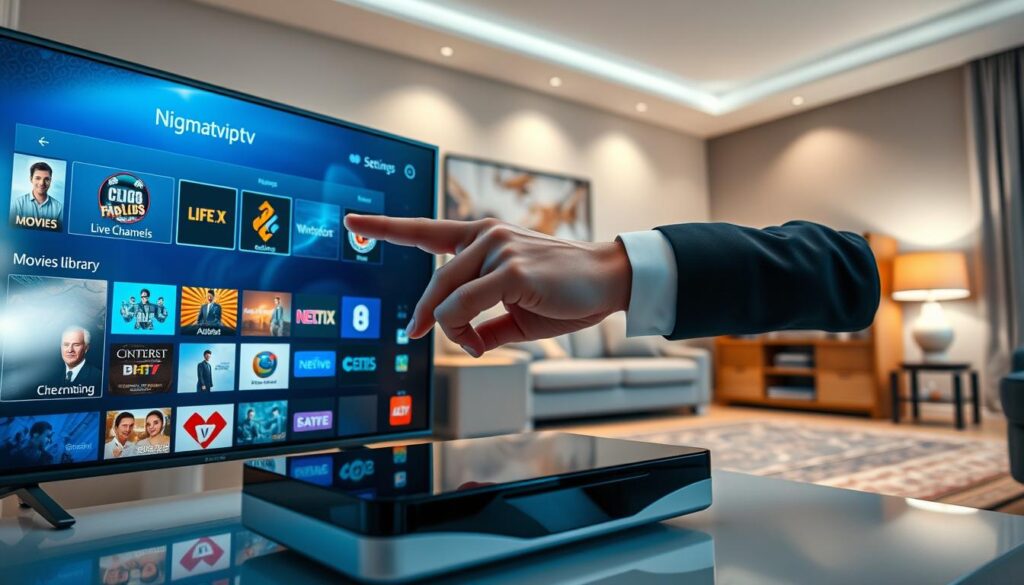
Once your installation is complete, you can begin exploring the vast world of entertainment available through the NIGMA IPTV platform. The interface is designed to be intuitive, allowing you to browse through thousands of Nigmatviptv channels with just a few clicks. Whether you are looking for live sports, news, or international cinema, the layout ensures that your content is always within reach.
“The true power of modern streaming lies in the ability to curate your own entertainment experience effortlessly.”
Exploring the Electronic Program Guide
The Electronic Program Guide, or EPG, serves as your primary map for live television. By accessing this feature, you can view current and upcoming schedules for all available Nigmatviptv content. This tool helps you plan your viewing schedule so you never miss a live event or a new episode of your favorite series.
Managing Favorites and Customizing Categories
You can easily personalize your dashboard by marking specific programs as favorites. This feature allows you to build a customized library that highlights the content you watch most frequently. By organizing your preferred Nigmatviptv channels into specific categories, you save time and keep your workspace clutter-free.
Adjusting Video Quality and Audio Settings
To ensure the best possible performance, the Nigmatviptv app provides flexible settings for both video and audio. You can manually adjust the stream quality based on your current internet speed to prevent buffering. Furthermore, users can toggle between different audio tracks or subtitle options to tailor the NIGMA TV experience to their specific needs.
Reviewing Nigmatviptv Subscription Plans and Pricing
Selecting the perfect Nigmatviptv subscription requires a clear understanding of your personal viewing habits and entertainment needs. By evaluating the different options, you can ensure that you receive the best value while enjoying high-quality streams on your preferred devices.
Whether you are a casual viewer or a dedicated sports fan, there is a package designed to fit your lifestyle. Exploring these choices allows you to maximize your experience with the NIGMA TV platform effectively.
Comparing Available Subscription Tiers
The Nigmatviptv plans are structured to provide flexibility for every type of user. You can choose between monthly, quarterly, or annual billing cycles depending on your budget and commitment level.
The following table outlines the typical structure of these tiers to help you decide which one aligns with your goals. For more detailed options, you can always check out an IPTV subscription provider to see how these services compare in the current market.
| Plan Tier | Duration | Best For | Value |
|---|---|---|---|
| Basic | 1 Month | Trial Users | Standard |
| Standard | 3 Months | Casual Viewers | Good |
| Premium | 12 Months | Power Users | Best Savings |
Understanding Payment Methods and Renewal Processes
A thorough Nigmatviptv review of the payment landscape shows that the service prioritizes user convenience and security. Most users find that the platform supports a variety of modern payment methods, making the checkout process smooth and efficient.
When it comes to Nigmatviptv pricing, transparency is a core feature of the service. Renewals are typically handled automatically to ensure your access remains uninterrupted, though you can manage your account settings at any time to adjust your preferences.
Staying informed about your billing cycle helps you avoid any unexpected service gaps. By keeping your account details updated, you ensure that your Nigmatviptv experience remains seamless and enjoyable throughout the year.
Troubleshooting Common Nigmatviptv Connection Issues
Even the most reliable streaming services can occasionally run into technical hurdles that disrupt your viewing experience. When you encounter these moments, having a clear plan helps you get back to your favorite shows without unnecessary stress.
This guide provides practical steps to address common problems. By following these tips, you can ensure your Nigmatviptv experience remains smooth and enjoyable.
Resolving Buffering and Playback Interruptions
Buffering is often caused by network instability or high traffic on your local connection. To improve your NIGMA TV streaming quality, start by restarting your router to refresh your internet signal.
If the issue persists, try clearing the cache within the application settings. Reducing the number of background apps running on your device can also free up the necessary bandwidth for high-definition playback.
Fixing Login Errors and Authentication Failures
If you are unable to access your account, first verify that your internet connection is active. Double-check your login credentials to ensure there are no typos, as these are the most common causes of authentication failures.
If you still cannot log in, confirm that your Nigmatviptv subscription is currently active and has not expired. Sometimes, a simple logout and re-login process is all that is needed to refresh your session and restore access to your content.
Updating the NIGMA IPTV App to the Latest Version
Keeping your software current is essential for maintaining optimal performance and security. Developers frequently release updates to fix bugs and improve compatibility with various streaming devices.
We recommend checking for updates regularly to ensure you are using the most stable version of the application. Staying updated protects your Nigmatviptv subscription and ensures you have access to the latest features and interface improvements provided by the service.
Best Practices for Secure and Private Streaming
Taking control of your online security allows you to enjoy high-quality entertainment without unnecessary risks. When you engage with Nigmatviptv, protecting your personal data should always be your first priority. By following a few simple digital hygiene habits, you can ensure that your viewing experience remains both private and enjoyable.
The Importance of Using a VPN with IPTV Services
A Virtual Private Network, or VPN, acts as a secure tunnel for your internet traffic. Using one while participating in Nigmatviptv streaming helps mask your IP address from third parties. This simple step prevents your internet service provider from monitoring your specific viewing habits.
Furthermore, a reliable VPN adds an extra layer of encryption to your connection. This is particularly useful when you access NIGMA IPTV content on public or shared Wi-Fi networks. It ensures that your sensitive information stays shielded from potential cyber threats.
Maintaining Account Security and Privacy
Your account credentials are the keys to your digital library. Always use a strong, unique password that combines letters, numbers, and symbols to keep your Nigmatviptv profile safe. Avoid sharing your login details with others to prevent unauthorized access to your subscription.
Regularly reviewing your account activity is another effective way to maintain privacy. If you notice any unusual behavior, update your credentials immediately to restore full control. Staying vigilant ensures that your Nigmatviptv streaming sessions remain strictly for your personal use.
| Security Practice | Benefit | Frequency |
|---|---|---|
| VPN Usage | Encrypts traffic | Every session |
| Password Updates | Prevents unauthorized access | Every 3 months |
| Activity Review | Detects suspicious logins | Monthly |
Conclusion
Mastering your streaming setup unlocks a vast world of high-definition content. The NIGMA TV platform provides a reliable gateway to thousands of live broadcasts and on-demand media. You can begin your Nigmatviptv installation today to transform how you watch your favorite programs.
The flexibility of this service ensures that you stay connected across all your devices. Whether you prefer a large Smart TV or a portable tablet, the interface remains intuitive and responsive. You will find that managing your library is simple once you understand the core navigation tools.
Exploring the extensive list of Nigmatviptv channels allows you to customize your entertainment to fit your personal tastes. Consistent updates keep the NIGMA IPTV library fresh and exciting for every user. Take control of your viewing habits and enjoy the premium quality offered by this robust service. Your path to better streaming starts with these easy steps.